Monday, December 31, 2012


To celebrate the last day of the year and the last day of the National Year of Reading, we have made a list of lists! The best books of 2012, from reader’s choice, best sellers and expert picks, your next favourite reads are all here.

The Goodreads choice awards, voted for by readers, covers all genres, fiction and non-fiction whilst The Guardian has many best of 2012 lists, voted by readers, including children’s, cook books, photography and art.

Want some expert picks? The editors of Publisher’s Weekly have selected their best reads of 2012 as have Readings booksellers.

Check out The Age for a range of 2012 bests or The New York Times for a comprehensive list of bestsellers. Want the list of all lists? NPR has all things 2012 including ’10 books to help you recover from a tense 2012’!

Finally, for a list with a difference, the bloggers at Skinny Scoop have made a list of the best book bloggers of 2012. Find some new voices here to add to your reading resources.

Reserve some ‘best of 2012’ reads from our catalogue and don’t forget to share your favourites from the year here, on facebook or twitter.

We hope you have had some time off for reading and look forward to seeing you all in 2013, HAPPY NEW YEAR!

Saturday, December 29, 2012

Quiet weekend at home?

At a loose end without cricket at the G this weekend?

Then how about popping in to your local branch and pick up some holiday reading?

All our branches are open normal hours tomorrow (Sunday) and holiday hours on Monday.


Libraries 
Ashburton 
Balwyn 
Camberwell 
Hawthorn 
Kew
Sunday 30 December 
2pm to 5pm 
2pm to 5pm 
2pm to 5pm 
1.30pm to 5pm 
2pm to 5pm 
Monday 31December 
10am to 5pm 
10am to 5pm 
9am to 5pm 
10am to 5pm 
10am to 5pm 
Tuesday 1 January 
Closed 
Closed 
Closed 
Closed 
Closed 

If you want something to read but don't have time to visit a library remember you can download ebooks 24/7 from our website or read newspapers from all round the world via Press Display database.

If you haven't heard of Press Display before now is the time to have a look as it provides  
current issues of newspapers from all over the world & instant access to 1700+ newspapers from 92 countries in 48 languages.

Friday, December 28, 2012


Find great reads with library e-resources.


We subscribe to loads of interesting and helpful e-resources, covering art, hobbies, newspapers, articles and magazines, language learning, genealogy and more. 

Bookends love the literary ones where you can find all types of lovely, bookish things. 

Novelist is like a literary wikipedia with author bios, titles, recommendations and features a range of age groups and genres. Here you can find ideas about new reading choices for yourself and help kids discover a wider range of books and authors. 

Australian Book Review and Good Reading are online versions of the popular print magazines. Extra online features include archives, multimedia integration, article links and handy search functions. 

Who Else Writes Like? And Who Next...? For kids give recommendations for authors that write in a similar style to your favourites. Who Next...? has suggested reads based on age, taste and reading level.

Your library membership gives you access to these subscriptions, just login with your library card.

Go to our e-resources page to find these and more literary gems, find some must haves and then reserve them from our catalogue!


Thursday, December 27, 2012

Altered Art

Got some old (not library) books lying around?

Looking for something crafty to do over the summer?

Then how about trying some altered art.


Antaya, Christine
Book art: iconic sculptures and installations made from books 


Arendt, Madeline.
Altered art for the first time


Brazelton, Bev.
Altered books workshop: 18 creative techniques for self-expression 


Cyr, Gabe.
New directions in altered books


Hennessy, Alena.
Alter this!: radical ideas for transforming books into art 


Occhipinti, Lisa.
The repurposed library: 33 craft projects that give old books new life 


Youngs, Clare.
Book art: creative ideas to transform your books decorations, stationery, display scenes, and more 


Post pictures of your creations to this blog or to our facebook page.

Wednesday, December 26, 2012

Boxing Day in Melbourne

To celebrate stumps on day one of the Boxing Day test match  here is a selection of new cricket books added to the library collections in 2012.


Chappell, Ian
Chappelli: life, larrikins & cricket 


Collis, Ian


Hawkins, Ed.
Bookie gambler fixer spy: a journey to the corrupt heart of cricket's underworld 


Knox, Malcolm
Bradman's war: how the 1948 invincibles turned the cricket pitch into a battlefield


Meher-Homji, Kersi
Cricket conflicts and controversies from pre-Bodyline to post-Bollyline


Piesse, Ken
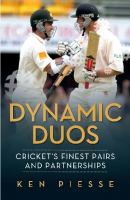
Dynamic duos: cricket's finest pairs and partnerships


Valentine, Ian
Cricket: yesterday and today

Tuesday, December 25, 2012

Did you receive an ereader for Christmas?

Getting started with eBooks


On your iPad, iPod, iPhone, Android,
Blackberry or Windows phone


1.Download
Overdrive mobile app

2. Authorise
In Overdrive Media Console:
Go to the app settings and find the authorise section. Enter your Adobe® ID and password

  If you do not have an Adobe ID
·      Select 'Register at Adobe.com'.
·      Sign up for an Adobe ID following instructions. Enter email and password for this.
·      In Overdrive Media Console, return to the App Settings.
·      Enter the email and password for your new Adobe account.
·      Tap 'Authorise'

3. Borrow
Select 'Get Books', search for Boroondara Libraries and select branch. You can access all of Boroondara Libraries books no matter which branch you choose.

Then:
·      Browse for a title
·      Select 'add to cart' then 'proceed to checkout'.
·      Enter your full 14 digit library card number, followed by your library PIN (date of birth DDMMYY)
·      Choose your loan period- 7, 14 or 21 days (your ebook expires automatically, there are no fines)
·      Click download

You are now able to read your ebook on your device anywhere, anytime.

For more ebook tips visit the help page http://boroondara.lib.overdrive.com


Getting started with eBooks
On your computer and ereader

1.   Download
·      Adobe Digital Editions www.adobe.com/products/digitaleditions/. This is a free program for your desktop that is used to display your ebook loans.
·      The required software for your device e.g. ‘Reader Library’ software for Sony readers.

2.   Authorise
·      Open Adobe Digital Editions- The ‘Setup Assistant’ box is open
·      Click continue- The ‘Activation’ screen is displayed
·      Under ‘Authorise Computer’ enter your Adobe ID.
·      If you don’t have one the click ‘get Adobe ID online’
-Sign up for an Adobe ID following instructions. Enter email and password for this.
-Return to the activation screen
·      Enter the email and password for your new Adobe account and click activate.
·      Click ‘Finish’ to close the ‘Setup Assistant’ box.

3.   Visit
·      Browse for a title
·      Select 'add to cart' then 'proceed to checkout'.
·      Enter your full 14 digit library card number, followed by your library PIN (date of birth DDMMYY)
·      Choose your loan period- 7, 14 or 21 days (your ebook expires automatically, there are no fines)
·      Click download
·      Your ebook will open in Adobe Digital Editions.

4.   Transfer
·      Connect your ebook reader and follow the prompts to authorise the device.
·      Drag and drop the ebook to your ebook reader link under ‘bookshelves’
·      When transfer is complete disconnect your ereader and enjoy.
·      When the loan has expired you can no longer access the book and may delete it.

For more ebook tips visit the help page http://boroondara.lib.overdrive.com

Please note: library ebooks are not compatible with Kindles in Australia.